
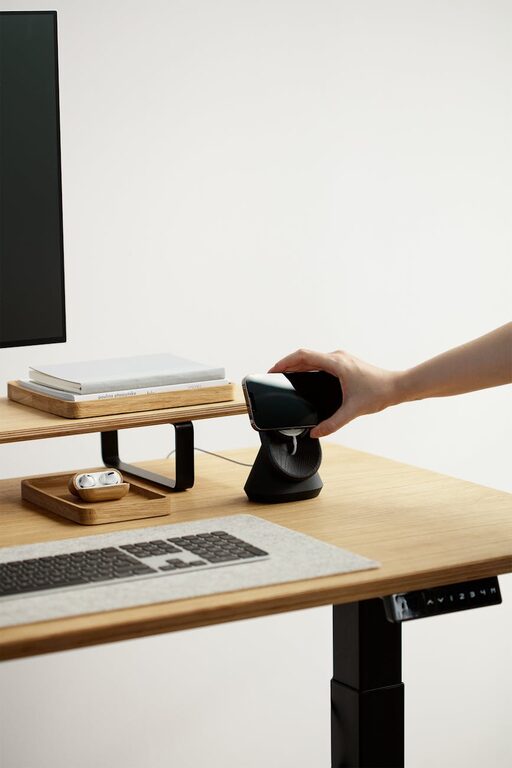
Creating an ideal desk setup is essential for maintaining focus and comfort throughout the workday. Whether you work from home, in an office, or study at a desk, having an organized and ergonomic workspace can make a significant difference in your productivity and overall well-being. In this post, we’ll explore practical tips to help you design a desk setup that promotes concentration and comfort.
Why Your Desk Setup Matters
Your workspace affects more than just your workflow. A cluttered or uncomfortable desk can lead to distractions, fatigue, and even physical discomfort such as back or neck pain. On the other hand, a thoughtfully arranged desk can enhance your focus, reduce strain, and create a more inviting environment that motivates you to get work done.
Essential Elements of a Focus-Friendly Desk Setup
1. Choose the Right Desk and Chair
– Desk height: Aim for a desk that fits your height so your arms can rest comfortably at a 90-degree angle when typing or writing.
– Chair ergonomics: Invest in a chair with good lumbar support and adjustable height to keep your spine aligned. Comfort here is crucial to avoid fatigue.
– Space: Your desk should offer enough surface area for your tools without feeling crowded.
2. Position Your Monitor Correctly
– Keep the top of your monitor at eye level to prevent neck strain.
– Sit about an arm’s length away from the screen.
– Position your monitor directly in front of you so you don’t have to twist your neck.
3. Organize Your Desk for Efficiency
– Store frequently used items within easy reach to avoid breaking your focus.
– Use trays, organizers, or drawer dividers to keep supplies neat.
– Keep your desktop free of clutter; a cleaner surface encourages clearer thinking.
4. Pay Attention to Lighting
– Use natural light where possible, but avoid glare on your screen.
– A desk lamp with adjustable brightness and color temperature can reduce eye strain.
– Balanced lighting helps maintain alertness, especially during long work sessions.
5. Add Comfort with Accessories
– Use a wrist rest or ergonomic keyboard and mouse to support your hands.
– Consider a footrest if your feet don’t touch the floor comfortably.
– Add a cushion for added chair comfort if necessary.
Creating a Calm, Focused Environment
Declutter Regularly
Take a few minutes at the end of each day to tidy your desk. Removing unnecessary items can prevent distractions and boost your mood.
Use Greenery
Adding a small plant can create a calming atmosphere and improve air quality. Choose low-maintenance options like succulents or pothos.
Manage Cables
Tangled cords not only look messy but can add to stress. Use cable clips, ties, or covers to keep them organized and out of sight.
Technology Tips to Improve Focus
Use the Right Tools
– A keyboard and mouse that suit your style can prevent discomfort.
– Noise-cancelling headphones can block out distractions in noisy environments.
– Timer apps or focus tools like the Pomodoro technique help manage workflow efficiently.
Maintain Your Equipment
Keep your devices dust-free and updated to avoid technical interruptions.
Personalizing Your Space Without Distraction
Adding personal touches like photos, art, or motivational quotes can inspire you. However, ensure these elements don’t clutter your workspace or draw your attention away from tasks.
Final Thoughts
Your desk setup plays a vital role in how effectively and comfortably you work. By focusing on ergonomics, organization, lighting, and environment, you can create a space that helps you stay focused and comfortable all day long. Remember, small changes can lead to big improvements in your productivity and well-being.
Try out these tips and adjust your workspace to what feels best for you. A well-crafted desk setup is an investment in your daily comfort and success.